Results tagged “hard drive”

Adding a hard drive to your Windows PC is an easy way to expand storage capacity if you find yourself running out of room for your files. But there are two problems with this approach.

First, it'll cost you money. There are bargain basement drives out there, but they're unlikely to be of the energy efficient variety. Which leads us to the second point, power savings. Installing another drive adds yet another component that you have to keep powered. And while heat-wise they pale in comparison to processors, they can contribute to your PC's thermal load making the fans work harder.

There is one super cheap option: delete files.

You're thinking, "Thank you, Captain Obvious!" What you may not have considered are the less obvious places to reclaim drive space, which can free up megabytes, if not gigabytes, of space.

Before you take a single step forward, an important reminder: backup your files!

Everyone needs a backup plan, no excuses. Things happen, no matter how well maintained your PC. There are tons of backup guides online and many external drives ship with software that makes it dead easy to make copies of your data. So, take this opportunity to backup (or ghost, even better) your PC and check the integrity of your backup files.

Got that? Good, then read on...

IT Pros to the Feds: Don't Regulate Green IT - Reuters

A survey by data center operator Digital Realty Trust found that 69 percent of IT pros surveyed "were extremely or very concerned about government regulation." The study was done by Campos Research & Analysis, and surveyed senior decision makers at big U.S. corporations in charge of datacenter and green IT strategies.

Microsoft Adds Virtualization to Unified Communications - Virtualization Review

The promise of UC is to unify all communications over a common platform. However, Microsoft hasn't enabled virtualization for all components in OCS R2 quite yet. Virtualization of voice, video, Web conferencing and other collaboration apps are not supported. Microsoft cited "possible" quality-of-service issues with real-time media as the reason.

SQL Server Support Policy for Failover Clustering and Virtualization gets an update... - CSS SQL Server Engineers

...One fairly controversial aspect to this policy was our support (actually non-support is a better word) for "guest" failover clustering. We didn't support installing SQL Server failover clustering in a virtual machine. Well this policy is now changed effective immediately as updated in the article.

Virtualization Management at Interop; new focus for network managers - SearchNetworking.com

Barb Goldworm and Anne Skamarock: Network management tools are still able to provide management of the physical components within the environment. However, to manage any of the virtual components and even to see into the OS or application, these tools need to be virtualization-aware, i.e., interact with the virtual layer to gain access to the virtual components. Many network management companies have become, or at least started to become, virtualization-aware. Furthermore, application management, including performance tools and root cause analysis tools, must likewise now understand the concepts of the virtual layers as well.

Western Digital's 2TB green drive eyes surveillance market - Crave - CNET

The company announced Tuesday the new 2TB WD AV-GP. It incorporates Western Digital's AV Intelligent Drive Technology, which makes it a good choice for AV applications such as DVRs, media centers, media servers, and surveillance video recording.

Windows 7 Logo

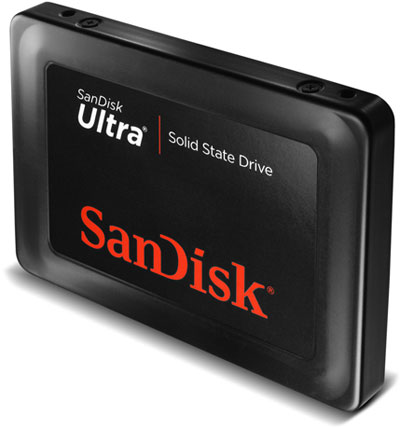
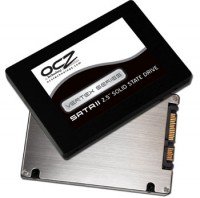
The difference between SSDs and traditional hard drives go well beyond energy savings and fast I/O rates. There are some fundamental ways flash chips store data, which makes regular defrag and other drive optimization techniques that operating systems employ unsuitable for SSDs.

The Windows 7 team says not to worry, they have it covered....

Windows 7 will disable disk defragmentation on SSD system drives. Because SSDs perform extremely well on random read operations, defragmenting files isn't helpful enough to warrant the added disk writing defragmentation produces...

By default, Windows 7 will disable Superfetch, ReadyBoost, as well as boot and application launch prefetching on SSDs with good random read, random write and flush performance. These technologies were all designed to improve performance on traditional HDDs, where random read performance could easily be a major bottleneck. See the FAQ section for more details.

Since SSDs tend to perform at their best when the operating system's partitions are created with the SSD's alignment needs in mind, all of the partition-creating tools in Windows 7 place newly created partitions with the appropriate alignment.

Another way they optimized Windows 7 for SSDs is with a process called Trim. They explain:

In addition to the above, Microsoft and SSD manufacturers are adopting the Trim operation. In Windows 7, if an SSD reports it supports the Trim attribute of the ATA protocol's Data Set Management command, the NTFS file system will request the ATA driver to issue the new operation to the device when files are deleted and it is safe to erase the SSD pages backing the files. With this information, an SSD can plan to erase the relevant blocks opportunistically (and lazily) in the hope that subsequent writes will not require a blocking erase operation since erased pages are available for reuse.

As an added benefit, the Trim operation can help SSDs reduce wear by eliminating the need for many merge operations to occur. As an example, consider a single 128 KB SSD block that contained a 128 KB file. If the file is deleted and a Trim operation is requested, then the SSD can avoid having to mix bytes from the SSD block with any other bytes that are subsequently written to that block. This reduces wear.

Now, if they can do something about the huge price premium over regular hard drives, then we're in business. Read more about Windows 7 SSD support here.

Seagate Barracuda LP Hard DriveIf you don want to pay a king's ransom to outfit your PC with an energy-saving SSD -- or you simply might not want to make the capacity trade-off -- the next best thing to do is invest in an energy efficient hard drive.

Seagate is countering Western Digital's Caviar Green line of hard drives with new the Barracuda LP line. Anandtech has the details:

Based on Seagate's internal testing (review samples arrive shortly) the drives are rated at 19dB(A) at idle and around 20dB(A) under load. This compares to the WD Caviar Green 2TB at 19db(A) idle and near 21db(A) under load. Power consumption is very close also, Seagate reports 3W at idle and 5.6W during operation, compared to 3W at idle and 5.72W under load for the WD drive.

Source: Anandtech

Western Digital Green CaviarThat's right, 2TB. See, that's why SSDs have a bit of a ways to go before they can challenge traditional disk drives. But that too appears to be changing.

HotHardware put Western Digital's mammoth Caviar Green through its paces to determine if the capacious SATA hard drive can deliver on the energy savings.


The Western Digital Green Power 2TB delivers as promised with around 6 watts of power usage at idle and 10 watts under load. The closest competitor (counting out the 2.5" Velociraptor) was the Seagate 7200.11 1TB that used 8 watts at idle and 12 watts under load. Although this may not seem very significant it represents power savings of 25 and 17 percent respectively.

You'll be pleased to know that it delivers on performance as well.

Source: HotHardware

1

Archives